Nils K.
Marking lines cost extra
“The cut outline is fine. The stiffener lines and weld marks are either missing, or billed at €0.20–€1.15 per plate, per marking type.”
STEP to DXF for shipyards, steel structure fabricators and cutting companies
Upload your model in the browser. Get back cut-ready DXFs — named, with marking lines and part text taken from the real 3D connections.
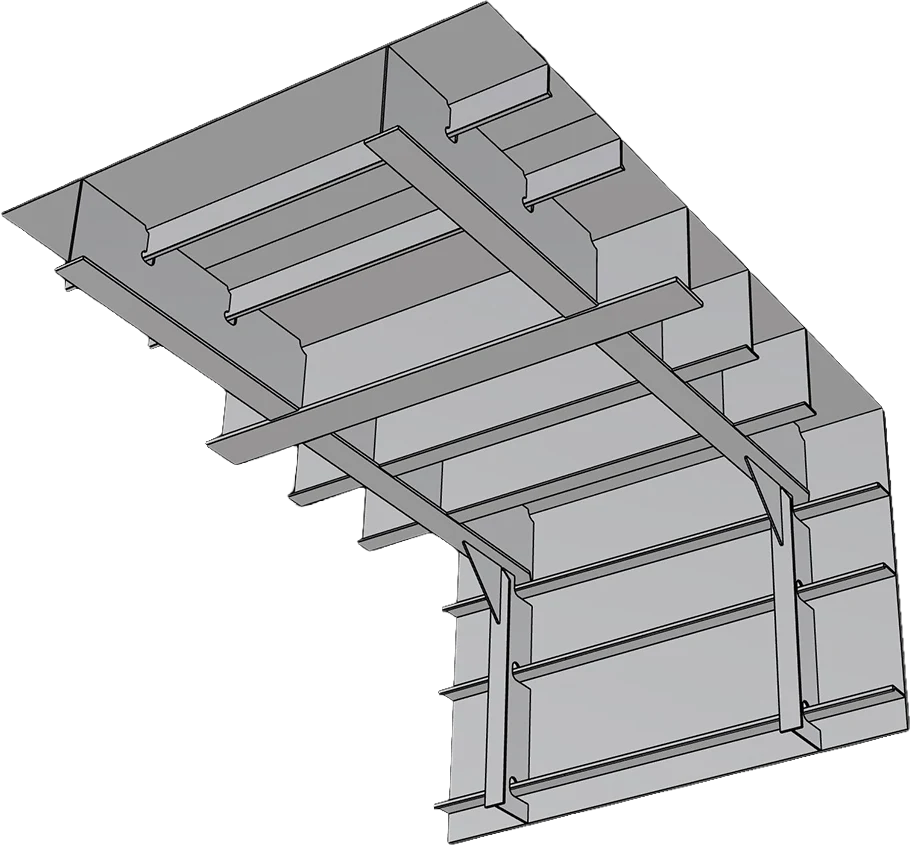
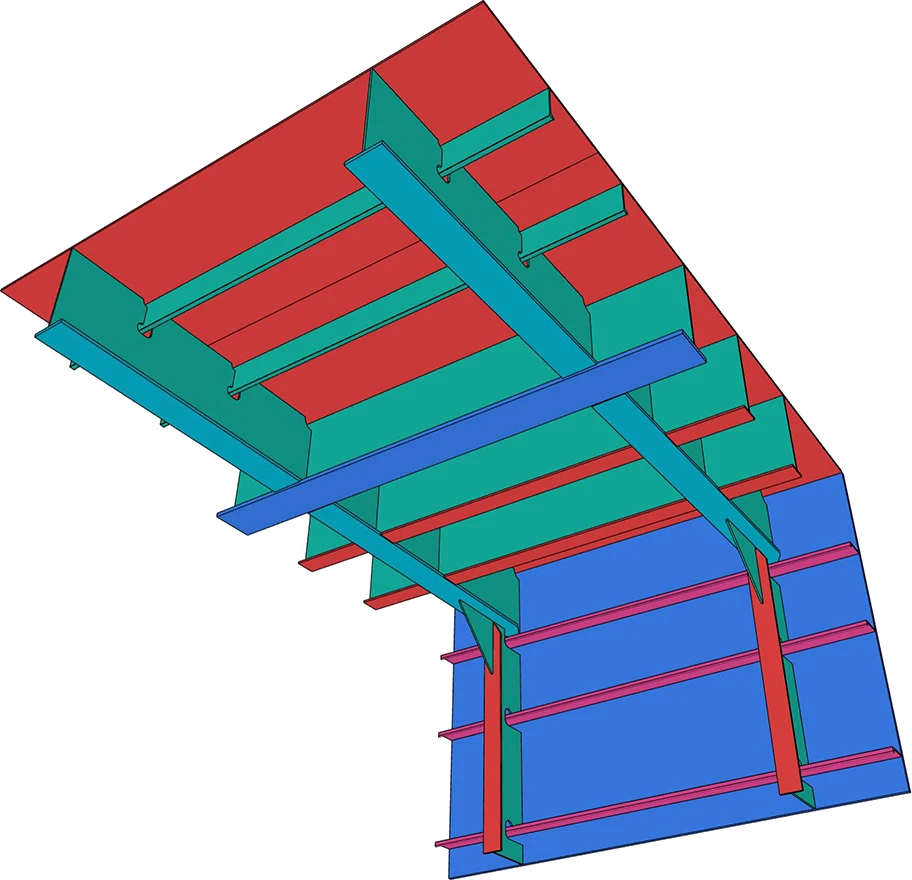
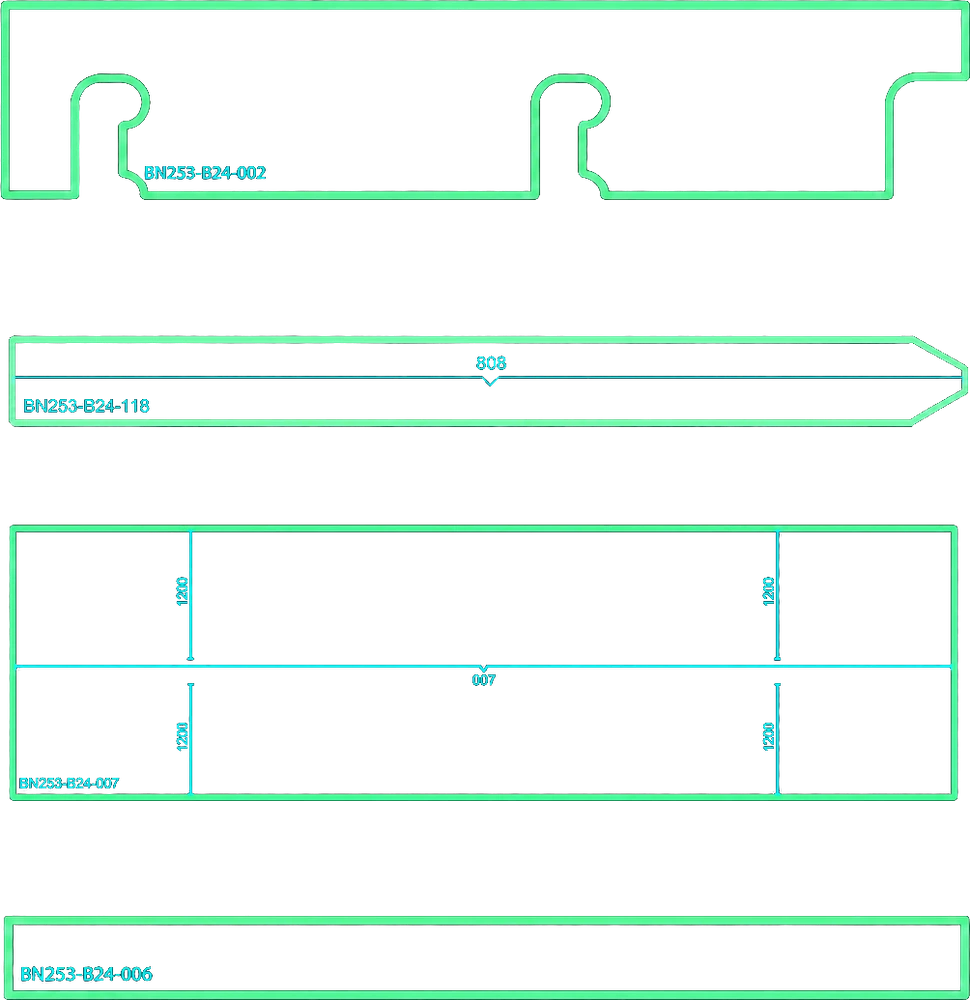
~1min
per plate, marking lines included
40min
119 plates, real customer assembly — from upload to DXF
€3.90
per part, flat
STEP or 3DM
3D from any CAD as input:
Rhino, SolidWorks, Inventor, Cadmatic, ShipConstructor, etc.
Sound familiar?
“I have to open each part, go to flat pattern, right-click and ‘export face as...’ on each individual part, which is somewhat labour intensive.”
Source: Autodesk Inventor Forum
“I'm trying to batch export multiple sheet metal flat patterns of an assembly to DXFs instead of opening and saving as each individual parts.”
Source: SOLIDWORKS Forum
“How secure is your work? I am not used to this cloud business… expecting it to be private and secure. Is it really?”
Source: Practical Machinist
“The cut outline is fine. The stiffener lines and weld marks are either missing, or billed at €0.20–€1.15 per plate, per marking type.”
“Only one person here can turn a model into cutting files. When he’s off, the cutting line waits.”
“If I can’t see the contour before it goes to the cutter, I check every plate by hand. Then the tool saves me nothing.”
If two of these are yours, you don't need a faster macro. You need the plates to come out right the first time.
See how each problem gets solvedHere's what changes
Problem 01Batch exporting flat patterns
What you get: Upload the whole STEP/3DM assembly. Every plate is extracted and named — no manual numbering, no one-by-one export.
Problem 02Batch export sheet metal flat patterns to DXF
What you get: Every plate comes back as its own DXF. Contours and markings come from the actual parts and their intersections, as closed polylines for your nesting tool.
Problem 03Security of CAD data in the cloud
What you get: Your model is processed and stored in the EU and deleted on request. Nothing routed through other regions.
Problem 04Marking lines cost extra
What you get: Marking and bend lines, plus part text, on every plate — in the €3.90. No add-ons, no per-marking fees.
Problem 05One programmer, one bottleneck
What you get: Upload from any browser — no CAD license or CAM skills needed. Your programmer checks the output instead of drawing every plate.
Problem 06Nobody signs off on a black box
What you get: View your model in the browser and adjust part settings — name, material, marking side and more — if you need to. Then check every plate's contour and marking lines before you pay.
Pay only for the parts you download.
See it on your own model (opens in a new tab)How it works
Drop a STEP or 3DM assembly into your browser. Any CAD — Rhino, SolidWorks, Inventor, Cadmatic, ShipConstructor. No plugin, no install.
Split2Parts extracts every part and shows it in 3D with its type, thickness and material. Adjust name, material and marking side where you need to.
Under a minute per part. A real 119-part assembly took 40 minutes, from upload to DXF.
Cut-ready DXFs with marking lines and part text, straight into your nesting tool. Pay €3.90 per part you download.
Move the slider. Open the comparison to use your own rate and minutes.
Plate partsmanual = parts × minutes ÷ 60 × rate; S2P = parts × €3.90Split2Parts pays off once manual work takes more than 4.7 min per part.
You spend €860.00 less than manual preparation while freeing 23.3 engineering hours.
You still save up to 15 hours of engineer time on this batch.
Where it fits
Hand the yard cut-ready DXFs for a whole block.
Clear the plate queue at peaks without extra hires.
Cut from the client's STEP without redrawing a plate.
The same DXFs for bridges, cranes and frames.
How it's built
No projection tricks. No manual tracing.
Every plate keeps its thickness, material and position.
Every crossing becomes a marking line on the plate it touches.
Part name on the marking side you choose.
Check parts and edit properties in 3D viewer before processing.
No risk on your side
excl. VAT · card payment via Stripe
Marking lines, names and materials are visible in the 3D viewer before you generate anything.
Download only the plates you need and open them in ProNest, FastCAM or whatever you run.
Processed and stored on EU servers. Deleted when you ask.
Before and after
15 minutes a plate to unfold, draw and fix by hand.
From upload to cut-ready DXFs with marking lines and part text.
A real customer assembly. Manual time is their own engineer's estimate.
“Naming alone takes us two to five hours per model. Then we open every plate one by one, unfold it and make the drawing. That's fifteen to twenty minutes a plate.”
Questions
€3.90 per part you download. No subscription, no seats, and no extra charge for marking lines. The viewer shows the part count before you generate, so you know the price of a model up front.
STEP (.step, .stp) or Rhino 3DM files. Flat and bent plates both work, as long as there’s no machining: no chamfers and no blind holes. Up to 1,000 parts per upload.
Upload it anyway. The viewer shows every part Split2Parts recognized, so you see what you’ll get before you pay. You only pay for the parts you download, so a messy model costs you a look, not money.
They’re built for it. Contours come from the real 3D geometry as closed polylines, with marking lines and part text on every plate. Download one plate first and open it in ProNest, FastCAM or whatever you run before you do the whole assembly.
On EU servers, and only your account can see it. It’s processed in the EU, never routed through other regions, and deleted when you ask. Questions from your IT team? support@split2parts.com
Something else? Send a message
Based on a real 119‑plate assembly.
Upload the whole assembly. Pay only for the plates you select.
Contact
A question about a model, or about where the files go.